Import from GitHub (CLI)
See how to import artifacts directly from GitHub repositories into your collection using semantic source paths and optional version pinning.
About This Demo
Duration: ~30 seconds
Audience: Developers importing external artifacts
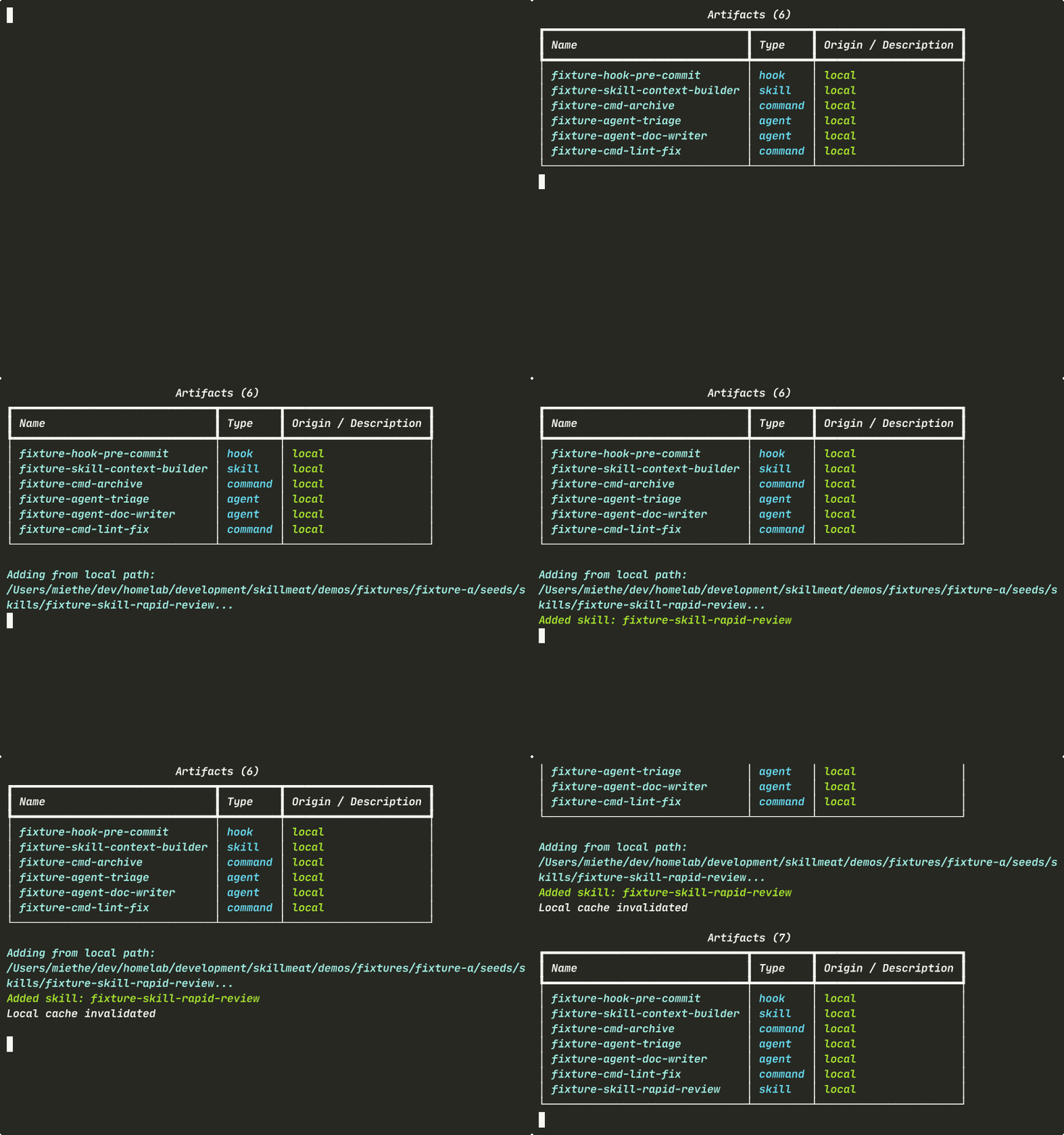
What you'll see: Viewing baseline inventory, importing from GitHub, and confirming the addition
What You'll See
Baseline Inventory
First, see what's currently in your collection before the import.
What's happening:
- Your collection shows all existing artifacts: skills, commands, agents, and more
- This is your baseline — the import will add to this
- skillmeat list is the query surface for your collection — instant, offline, no API calls
Importing an Artifact
Import a skill from GitHub using the semantic source path format. Version pinning is optional.
What's happening:
- The CLI resolves the GitHub source
- Optional @version pins the artifact to a specific release, tag, or commit SHA
- The resolved version is written to your lockfile for reproducibility
- --force makes it idempotent — safe for CI and demo reruns
- No restart or sync needed — the artifact is available immediately
Confirming the Import
List your collection again to verify the artifact was added.
What's happening:
- Your imported artifact now appears in the inventory
- The manifest and lockfile are automatically updated
- git diff shows exactly what changed
- Collection is the single source of truth for what's installed
Import Source Formats
SkillMeat supports multiple source formats:
# From GitHub with version pin
skillmeat add skill owner/repo/path/to/skill@v1.0.0

# From GitHub (latest)
skillmeat add skill owner/repo/path/to/skill@latest

# From GitHub (specific commit)
skillmeat add skill owner/repo/path/to/skill@abc1234

# From marketplace
skillmeat add skill <marketplace-reference>

# From local path
skillmeat add skill ./local/path/to/skill
Key Takeaways
- Semantic source paths:
owner/repo/pathformat is intuitive and remappable - Version pinning: Lock to specific releases, tags, or commits for reproducibility
- No manual editing: Manifest and lockfile update automatically
- Immediate availability: No restart or sync step needed
Try It Yourself
# List your current collection
skillmeat list

# Import a skill from GitHub
skillmeat add skill anthropics/skills/document-skills/docx@latest \
  --collection my-collection

# Verify the import
skillmeat list

# Check what changed in the manifest
git diff skillmeat.toml
Common Flags
| Flag | Purpose |
|---|---|
--collection <name> |
Target a specific collection (default: active) |
--force |
Add without prompting (idempotent for scripts) |
--dangerously-skip-permissions |
Skip permission review (use with caution) |
@version |
Pin to a release, tag, or commit SHA |
Next Steps
- Learn how to sync versions across projects
- See how to scaffold a complete project
- Explore deploying artifacts to projects