Marketplace Discovery (CLI)
Learn how to search the marketplace catalog for artifacts and install them instantly from the command line.
About This Demo
Duration: ~40 seconds
Audience: Developers evaluating artifact discovery
What you'll see: Searching the marketplace, viewing inventory before and after, and installing artifacts
What You'll See
Searching the Marketplace
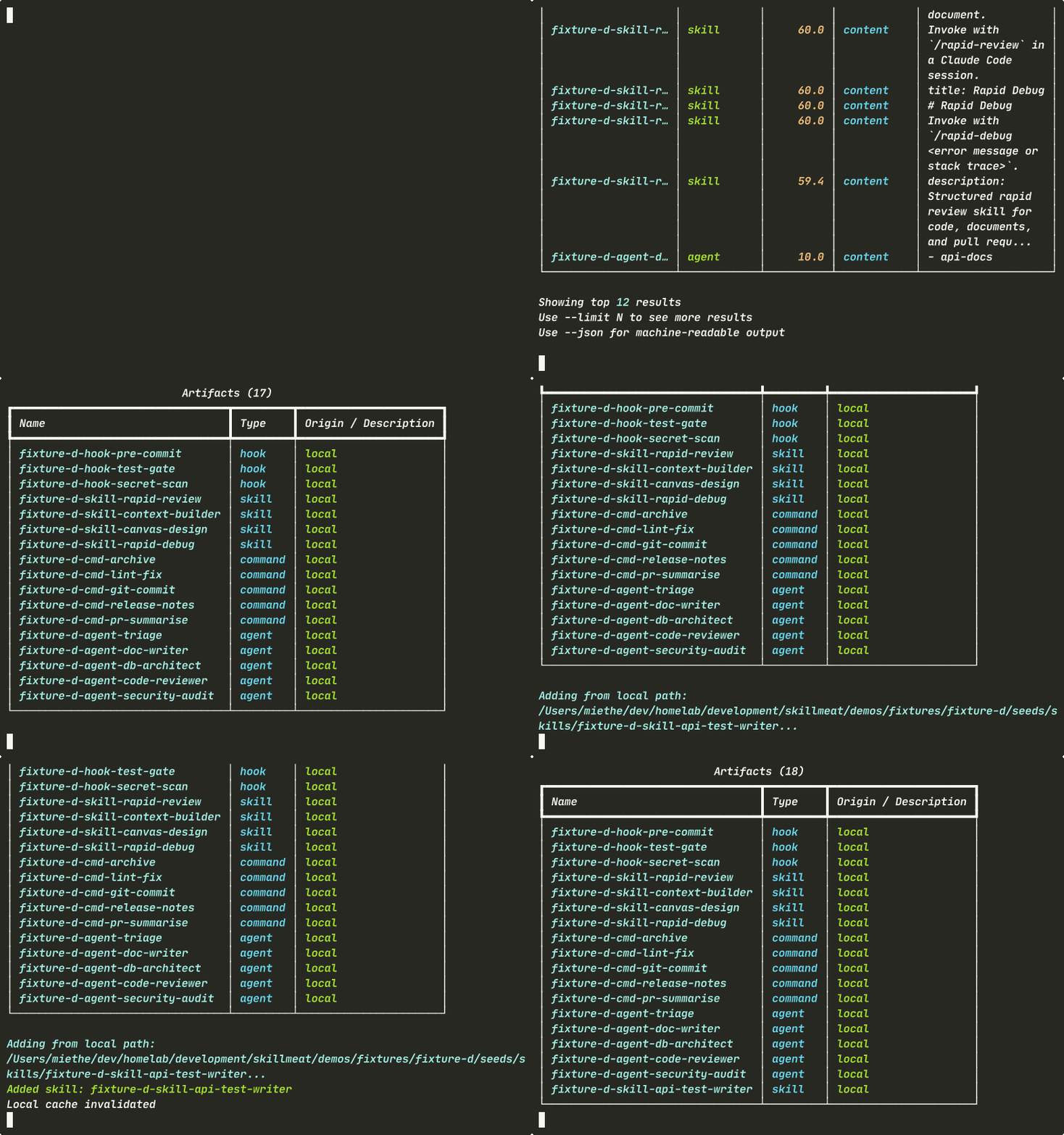
Query the marketplace catalog with a single command. Results include name, type, tags, and description — everything you need to decide without opening a browser.
What's happening: - The search queries your marketplace catalog - No network round-trip for seeded collections - Results show artifact name, type, tags, and description - You can decide whether to install directly from the terminal
Viewing Baseline Inventory
Before installing, check what you already have in your collection.
What's happening: - You see the current state of your collection - The artifact you found in search isn't installed yet - This baseline helps you understand what will change after install
Installing from the Marketplace
Add the artifact you found with a single command. No prompts, no configuration.
What's happening:
- The CLI installs the artifact instantly
- --force makes it idempotent — safe for scripts and CI pipelines
- --dangerously-skip-permissions suppresses the interactive review (use with caution)
- No restart or sync needed — the change is immediate
Confirming the Install
Run list again to verify your new artifact is in the collection.
What's happening: - Your newly installed artifact appears in the inventory - Same query you ran in the baseline now shows the updated state - The discovery loop is complete: search → add → list
Key Takeaways
- Instant discovery: Search results appear in the terminal without opening a browser
- One-command install: Point at a source and it's added to your collection
- Safe for automation: The
--forceflag makes the workflow idempotent - Immediate feedback: Changes are queryable right after install
Try It Yourself
# Search for a specific artifact type or keyword
skillmeat search "llm"

# See what you currently have
skillmeat list

# Install an artifact
skillmeat add skill <source> --collection my-collection

# Verify the install
skillmeat list
Common Flags
| Flag | Purpose |
|---|---|
--collection <name> |
Target a specific collection (default: active) |
--force |
Install without prompting (idempotent for scripts) |
--dangerously-skip-permissions |
Skip permission review (use with caution in production) |
Next Steps
- Learn how to import from GitHub
- Explore syncing artifacts
- See how to deploy to projects