Collection Initialization (CLI)
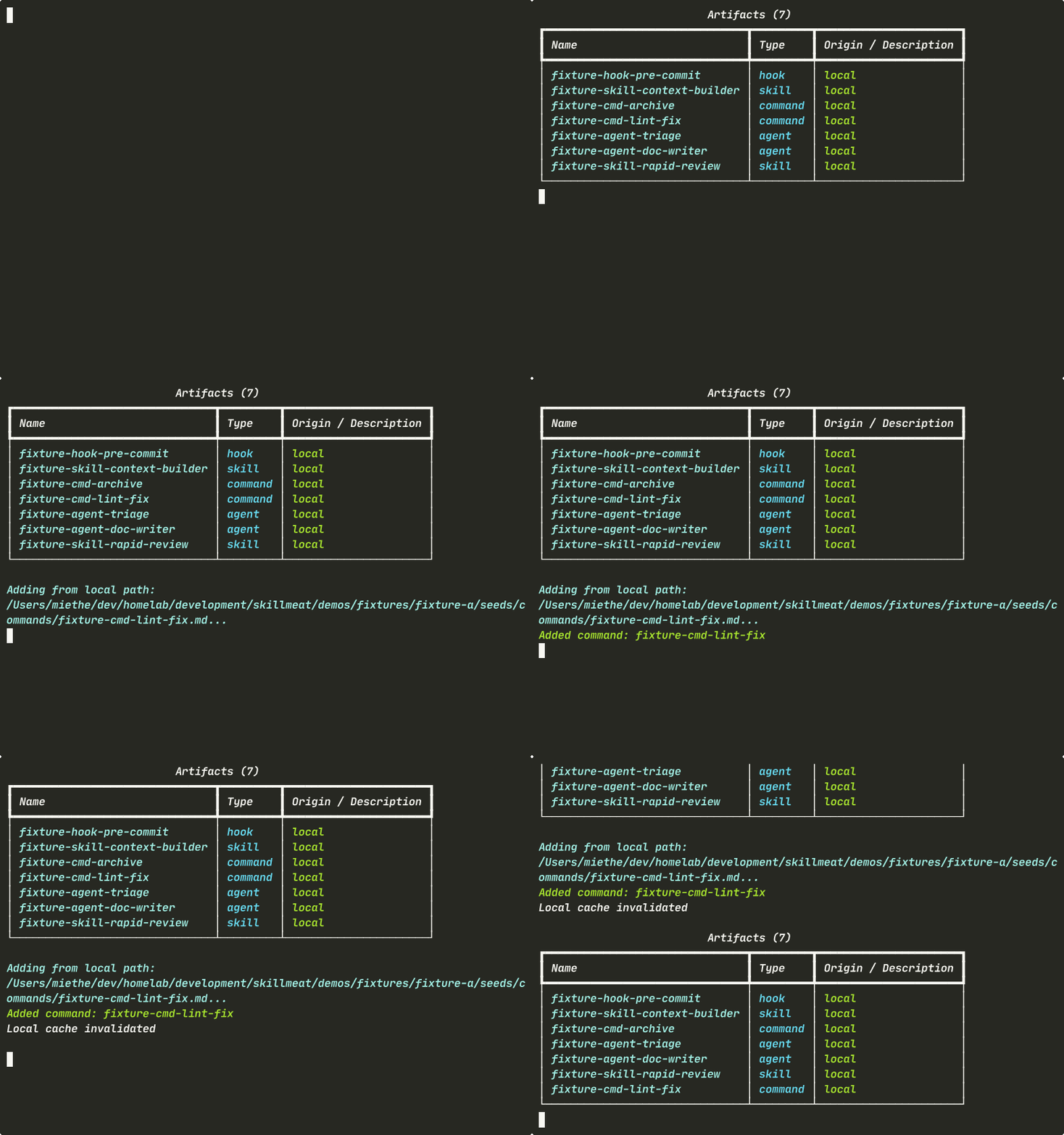
See how to initialize a collection and add artifacts using SkillMeat's command-line interface. This quick walkthrough shows the fundamental workflow: list, add, and verify.
About This Demo
Duration: ~30 seconds
Audience: CLI-first engineers
What you'll see: Listing collection contents, adding artifacts, and verifying changes
What You'll See
Listing Your Collection
The skillmeat list command shows all artifacts in your collection — everything in one place.
What's happening: - All artifact types appear in a single table: skills, commands, agents, workflows, hooks, and MCP servers - No configuration needed — one command gives you a complete inventory - The output is queryable and scriptable
Adding an Artifact
Add a new artifact to your collection with a single command. The --force flag makes it idempotent, safe for scripts and demos.
What's happening:
- The CLI resolves the artifact source
- --force re-adds without prompting — perfect for automation
- No restart or sync needed — changes take effect immediately
Confirming the Change
Run list again to verify your artifact was added.
What's happening: - Your new artifact appears in the inventory - Same command you ran before shows the updated state - Collection is queryable right away — no cache flush required
Key Takeaways
- One command per operation:
list,add,list— no configuration ceremony - No restart: Changes are immediate and queryable
- Scriptable: The
--forceflag makes the workflow safe for automation - Reproducible: Same queries produce identical output every time
Try It Yourself
# Initialize your collection
skillmeat init

# List what you have
skillmeat list

# Add a new artifact from GitHub
skillmeat add skill owner/repo/path/to/skill

# Verify it was added
skillmeat list
Common Flags
| Flag | Purpose |
|---|---|
--collection <name> |
Target a specific collection (default: active) |
--force |
Add without prompting (idempotent for scripts) |
--dangerously-skip-permissions |
Skip interactive permission review (use with caution) |
Next Steps
- Learn how to search the marketplace
- See how to import from GitHub
- Explore syncing artifacts